Why Digital Displays Matter on Construction Jobsites
Walk onto any modern construction jobsite, and you’re likely to spot digital screens doing the work that once required stacks of paper, radios, and frantic phone calls. But why does this shift matter? Because construction jobsites are chaotic. Between tracking progress, scheduling workers, and ensuring safety compliance, the margin for error is huge. Digital displays are helping contractors cut through the noise.
In my view, they’re not just fancy tech—they’re practical solutions to everyday problems. Let’s break down four ways digital displays are reshaping construction sites.
1. Real-Time Project Tracking
One of the biggest headaches on any jobsite is knowing where you stand at any given moment. Are you on schedule? Is the budget holding? What scope is lagging behind?
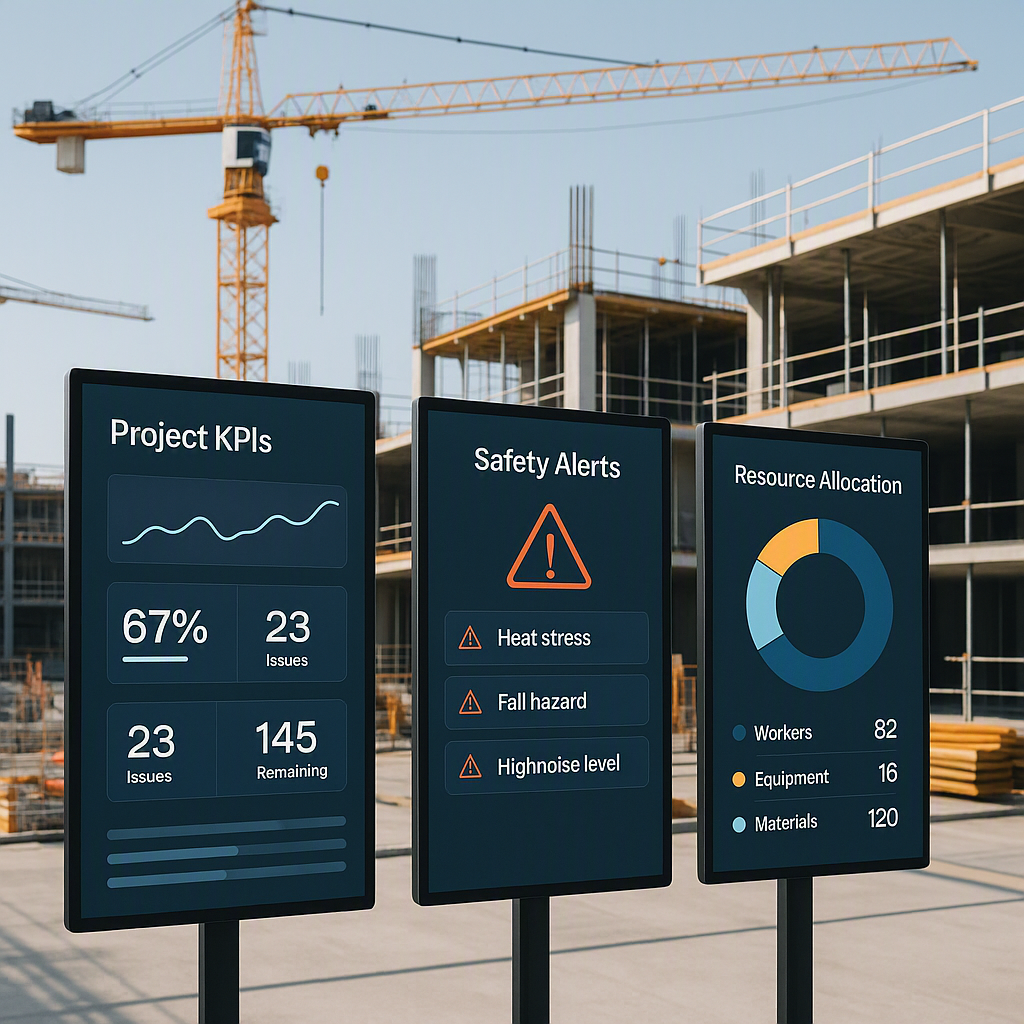
Digital displays tied to project dashboards solve this by showing real-time data in one place. For example, platforms like JobNext’s Project Dashboard pull data directly from BOQs (Bill of Quantities), progress measurements, and budget consumption reports. Site engineers can glance at completion rates, cost variance, and even WBS (Work Breakdown Structure) scope progress without digging through multiple reports or spreadsheets.
Actionable Steps for Real-Time Tracking:
- Invest in a Unified Dashboard: Look for platforms that integrate directly with your existing project management tools or ERP systems. This ensures seamless data flow.
- Define Key Metrics: Focus on actionable KPIs like completion rates, cost variance, and schedule adherence. Avoid overcrowding screens with non-critical data.
- Train Your Team: Ensure that site supervisors, engineers, and workers understand how to update progress in real-time. Even the best system fails without up-to-date data.
Why It Matters
Real-time tracking eliminates guesswork. If subcontractor progress is lagging or material costs are overshooting estimates, you’ll know immediately. This enables proactive decision-making, preventing delays and cost overruns.
2. Improved Collaboration
Remember the days of chasing down foremen with clipboards? Or waiting hours for someone to locate the latest site drawings? Digital displays—whether mounted on walls, accessed via tablets, or shared on smartphones—allow teams to collaborate in real-time, no matter where they are.
Comparison: Old vs. New Collaboration Methods
| Traditional Approach | Digital Display Approach |
|---|---|
| Printed drawings often outdated | Digital drawings auto-update in real-time |
| Requires physical meetings | Teams align remotely via shared displays |
| Miscommunication is common | Everyone sees the same data instantly |
Take a simple example: a shared digital display showing updated BOQs and job activities. Instead of printing and distributing 20 copies of a revised scope, the team can check progress directly on-screen. Platforms like JobNext make this seamless by offering features like horizontal navigation for BOQ and scope tracking, enabling users to define execution tasks, update progress, and view budgets all in one place.
Practical Tips to Improve Collaboration:
- Set Up Centralized Displays: Install screens in high-traffic areas like site offices or break rooms. This ensures everyone has access to the latest updates.
- Use Mobile Access: Choose platforms that offer mobile apps or tablet compatibility, allowing foremen and field workers to collaborate on-the-go.
- Standardize Communication: Ensure that all project updates, revisions, and announcements go through the digital platform to avoid confusion.
Why It Matters
This isn’t just about convenience—it’s about speed. Decisions happen faster when everyone is working from the same data. Miscommunication is minimized, and workflows become more streamlined.
3. Enhanced Safety Monitoring
Safety issues on jobsites are often reactive—someone notices missing PPE or a hazard too late. Digital displays are helping shift safety management from reactive to proactive.
How Digital Displays Improve Safety:
- Attendance and Certification Tracking: Platforms like JobNext integrate attendance systems with safety certifications, ensuring that only authorized workers are present on-site. If someone’s certification lapses, the system can flag it in real-time.
- Live Hazard Maps: Some systems display heatmaps of active zones, showing where workers are located in real-time. For example, restricted zones (due to live power or hazardous materials) can be flagged immediately.
- Incident Reporting: Teams can log and display incidents directly on the platform, allowing managers to address risks before they escalate.
Steps to Implement Safety Monitoring:
- Digitize Attendance Records: Move away from manual sign-ins to QR code or biometric-based systems that sync with your digital display.
- Integrate with Safety Equipment: Use IoT-enabled devices (e.g., smart helmets) that can provide live data on worker health and activity.
- Conduct Regular Audits: Use the data displayed to hold regular safety reviews and ensure compliance.
Why It Matters
The result is fewer accidents, better accountability, and a safer environment for everyone. Proactive safety measures also reduce downtime caused by workplace injuries.
4. Streamlined Resource Allocation
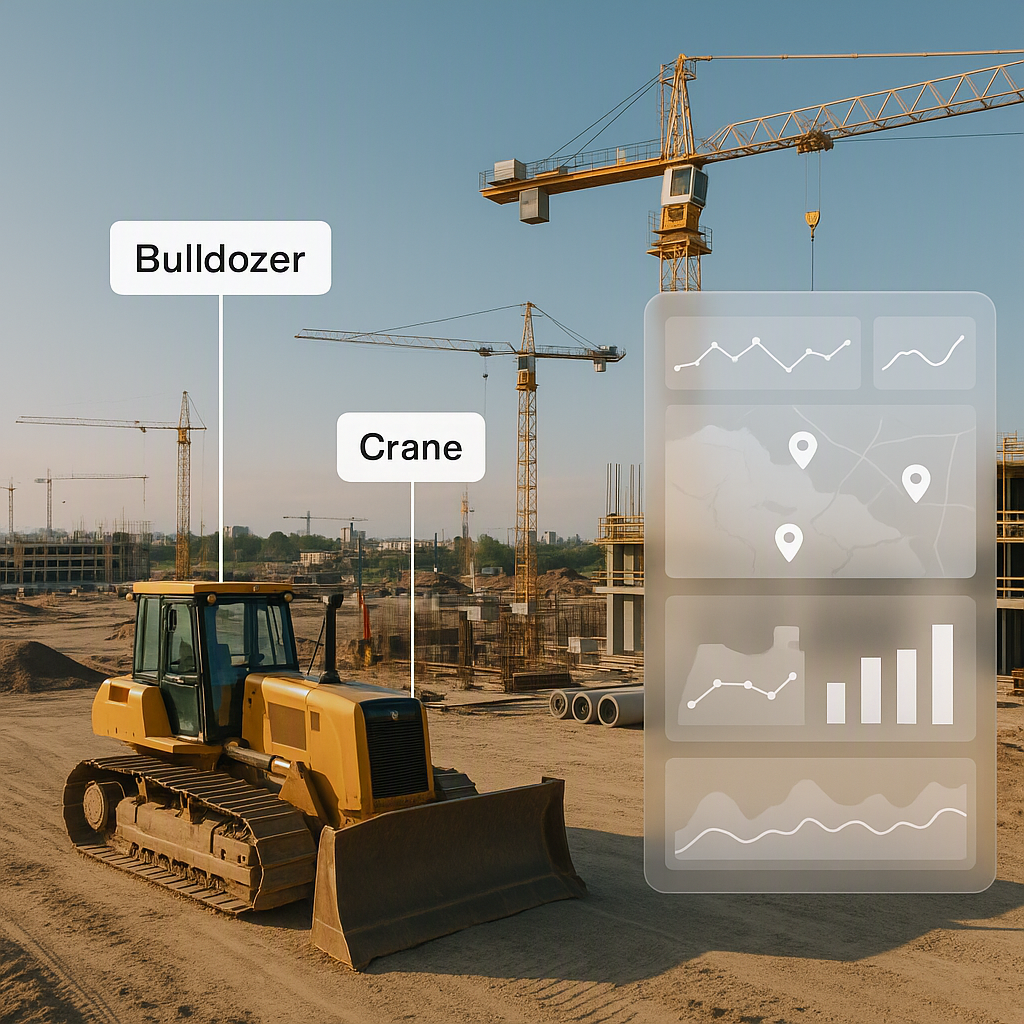
Multi-site operations are a logistical nightmare. Do you know which crane is idle? Or whether your workforce allocation matches project timelines? Digital displays linked to equipment dashboards can show utilization rates, upcoming maintenance, and fuel consumption.
Example Use Case: Equipment Reallocation
Imagine a crane is underutilized on Site A but urgently needed on Site B. A digital equipment dashboard makes this clear in seconds, allowing for fast redeployment. Similarly, workforce dashboards show attendance and allocation across sites, helping HR managers avoid bottlenecks.
Key Features to Look For:
- Equipment Utilization Tracking: Ensure your system tracks idle vs. active machinery.
- Maintenance Alerts: Automate notifications for upcoming maintenance to avoid unexpected downtime.
- Workforce Dashboards: Monitor attendance and task assignments to optimize labor efficiency.
Why It Matters
Idle equipment and underused manpower eat into margins. Digital tracking ensures resources are allocated where they’re needed most, saving time and money.
Common Mistakes to Avoid with Digital Displays
Digital displays are only as good as the data feeding them. Here’s what to watch for:
- Incomplete Data: If site teams don’t update progress or measurements in real-time, the display becomes useless. Training is key.
- Overloading Screens: Don’t cram 20 KPIs onto a single display. Focus on actionable metrics—completion rate, cost variance, safety checks.
- Ignoring Edge Cases: Not every worker or piece of equipment will integrate seamlessly. Prepare contingency plans for manual updates.
The Takeaway
Digital displays are no longer optional for modern construction jobsites—they’re critical tools for tracking progress, improving communication, and reducing risks. If your workflows still rely on paper logs and manual updates, it’s time to rethink. By integrating real-time tracking, collaboration tools, safety monitoring, and resource allocation features, digital displays can transform your projects and boost efficiency.
Want to see how JobNext can simplify your jobsite management? Try it free →